I’m a bargain hunter. Lately I have been playing with some low powered windows cloudbooks. I picked one up “refurbished”, the box and packaging looked new, for less than $200. It has a full HD 14" screen which I was searching for as the similar size 720p model I had before was a little on the pixeley side for text. Also, it was repurposed as a computer for a student. As usual, I made a backup image of the internal storage in case the next next person wants windows. Then I installed a distro of Linux. Now I have a cheap remote terminal with great battery life, a decent keyboard, enough RAM to run a few things and if I loose or break it no big deal.
However, now I find I have the opposite problem with the pixel density. Instead of too big it’s too small. This system doesn’t have the power to run Wayland, and I don’t have the patience to deal with the application compatibility issues anyway, so that was not an option. Gnome has a Hi-dpi scaling option that works with X but only supports 2X scale. That put it right back to 720p sizes, albiet without the pixelations. Another solution was needed.
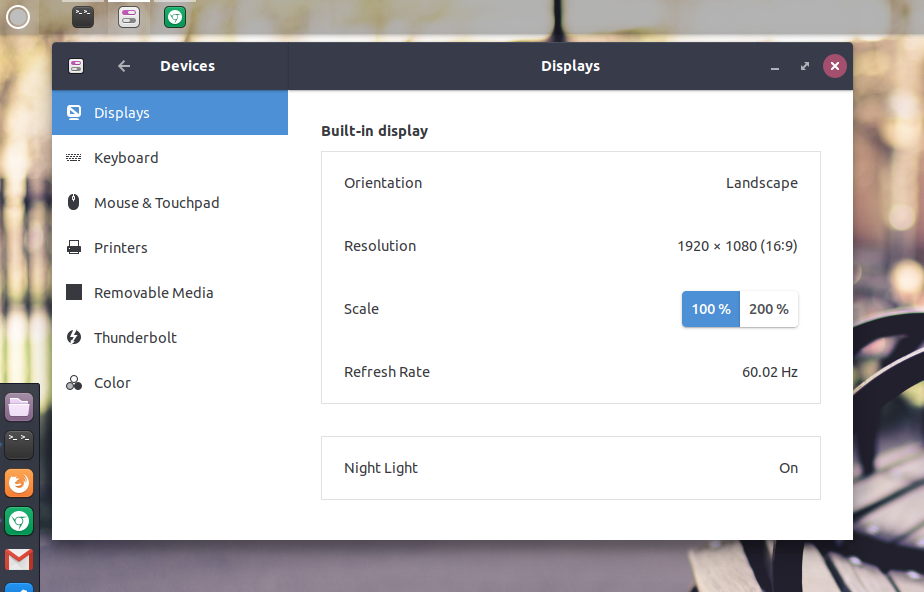
GNOME Hi-dpi scale options
I want to have arbitrary scaling. After a lot of research I found that xrandr could change the scaling factor in X. It doesn’t have the built in gui integration with gnome or remember the setting but hey this is linux and I can easily change it back and forth with one command. The bash script below has the name of the display which you can get by running xrandr without options and some other resolution options specific to this device. Now I have arbitrary scaling in X. I find that 75% is quite pleasing so that is the default if no option is passed.
Here is the script I used to make setting the scaling easy. Consult xrandr output for the display value to use.
#!/bin/bash
display=eDP-1
scale=0.75
if [[ $1 != "" ]]; then
	scale=$1
fi

xrandr --output $display --scale ${scale}x${scale}
Using the script to set the scale to 70%
aun@one:~/bin$ scale .7